How to Get Email from LinkedIn: The Complete Guide to Finding Verified Contact Details in 2026
If you’re in sales, recruiting, or growth, you already know the problem. You find the perfect prospect on LinkedIn, their title matches, their company fits your ICP, and then you hit a wall. LinkedIn won’t hand you their email. InMail sits unread for days. And by the time you find a workaround, someone else has already booked the meeting.
This is exactly why “LinkedIn email finder” has become one of the most searched terms among SDRs, recruiters, and growth teams. People aren’t looking for a nice-to-have tool anymore. They’re looking for a way to stop losing deals to slow outreach.
This guide covers what a LinkedIn email finder actually does, the manual methods people still try (and why most of them fail), what separates a good email finder for LinkedIn from a mediocre one, and how to get email from LinkedIn profiles in a way that doesn’t tank your sender reputation.
Why Everyone Suddenly Needs a LinkedIn Email Finder
LinkedIn is still the best B2B database on the planet. Job titles, company size, tenure, even recent job changes, it’s all sitting there in plain sight. The problem is LinkedIn was built to keep people on LinkedIn, not to hand out contact information. InMail credits are limited, response rates hover in the single digits for cold InMails at most companies, and connection requests get ignored just as often.
So the workflow that actually works looks like this: find the right person on LinkedIn, pull their verified email in a click, and reach them somewhere they actually check. Email still converts better than InMail for cold B2B outreach in most industries, and it lets you run sequences, track opens, and automate follow-ups in a way LinkedIn simply doesn’t allow.
That’s the gap a LinkedIn email finder is built to close.
The Manual Ways People Try First (and Where They Break Down)
Before reaching for a tool, most people try a few manual tricks. It’s worth knowing these, mostly so you understand why they don’t scale.
Guessing the email pattern. Company emails usually follow a format like [email protected] or first initial + last name. You can guess this from a couple of known employees and try it on a new prospect. It sometimes works. It also bounces a lot, and every bounce chips away at your domain’s sender reputation.
Checking the “Contact info” section on LinkedIn. Some users list a personal email here. Most don’t, and the ones who do are usually already easy to reach anyway.
Company website scraping. Team pages, press releases, and “About Us” sections occasionally list emails. This works for maybe one in twenty prospects and takes real time per lookup.
Asking mutual connections. Effective, occasionally, but not something you can run at any volume.
None of these are wrong exactly. They’re just slow, and slow doesn’t work when you have a list of 500 prospects and a quota to hit this quarter.
What Actually Matters in an Email Finder for LinkedIn
Not all tools in this category are built the same, and the differences show up fast once you’re using one daily. Here’s what to actually check before you commit:
Accuracy over volume. A tool that claims a huge database but returns a 40% bounce rate is worse than useless, it actively hurts your domain reputation. Look for verified, deliverability-checked results, not just guessed patterns dressed up as data.
Works where you already are. A browser extension that pulls the email straight from the LinkedIn profile you’re viewing beats switching tabs to a separate dashboard every single time. Fewer steps means your team actually uses it.
Phone numbers, not just emails. Multi-channel outreach outperforms single-channel almost every time. If a tool can also surface a verified phone number, that’s one less tool in your stack.
Bulk export for list building. One-off lookups are fine for individual reps. Recruiters and growth teams building lists of hundreds need CSV export and bulk enrichment, not a click-by-click process.
Fits your existing stack. If it doesn’t connect to your CRM or sales engagement tool, you’re adding manual copy-paste work back into a process you were trying to automate.
Meet Unifers: A LinkedIn Contact Finder Built for Speed
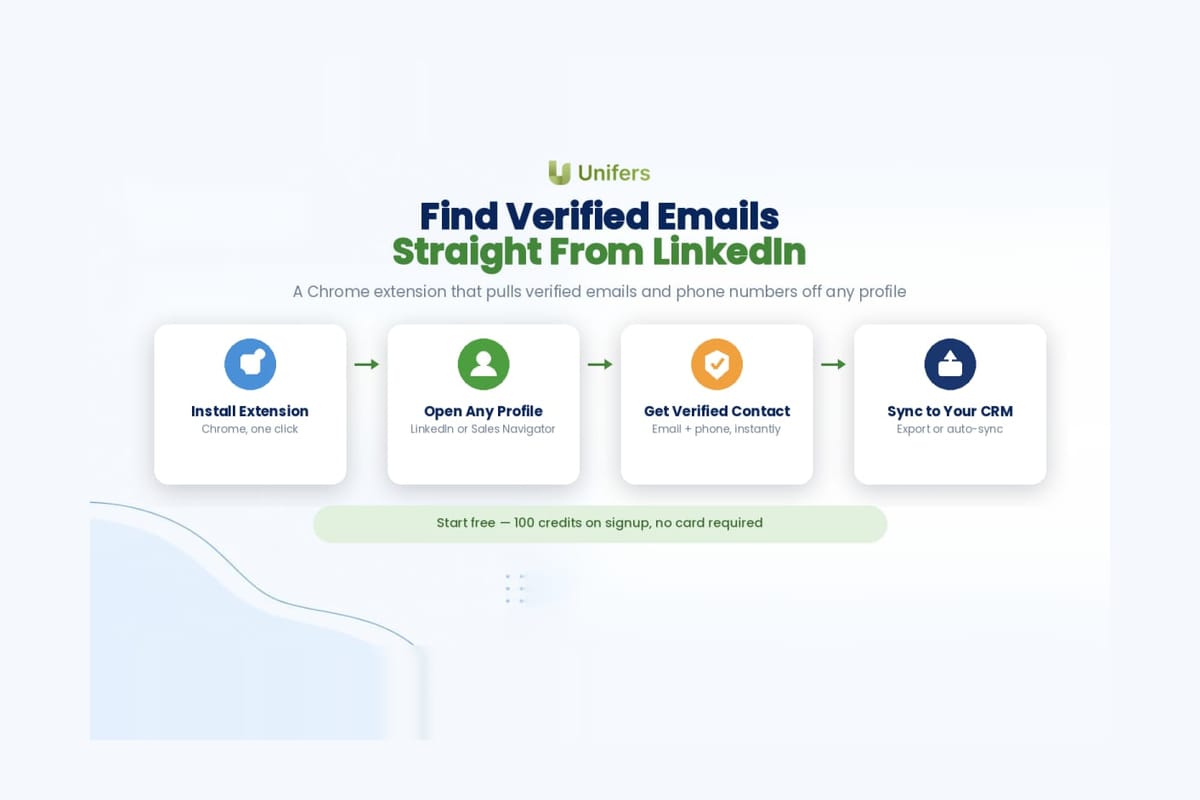
This is where Unifers comes in. It’s a Chrome extension that sits directly on top of LinkedIn and pulls verified email addresses and phone numbers off any profile you’re viewing, no tab switching, no exporting a list and waiting around.
Here’s how it works in practice:
Install the Chrome extension and log into your Unifers account.
Open any LinkedIn profile. Unifers runs in the background and surfaces the verified email (and phone number, where available) right on the page.
Bulk enrich from Sales Navigator or a saved list when you need volume instead of one-off lookups.
Export or sync the results straight into your CRM or outreach tool.
Built for the people who live in LinkedIn all day: SDRs running outbound, recruiters sourcing candidates, and founders doing their own early sales before a team exists to do it for them. The team behind Unifers also built the CIBIL API platform, so accuracy and verification aren’t an afterthought here, they’re the whole point of the product.
Unifers vs. the Rest of the Market
Apollo, Hunter, Lusha, and Snov.io have all built a name for themselves in this space, and each does something reasonably well. Here’s how the starting plans actually stack up on paper:
Tool | Starting Price | Free Tier | Database | Phone Numbers |
Unifers | $49/mo | 100 free credits on signup | 380M+ contacts, 60M+ companies, 62M+ verified emails | Unlimited US phone on Growth plan ($79/mo), 45M+ mobile numbers |
$49–$69/user/mo | Limited ongoing free tier | 270M+ contacts | Yes, credit-gated | |
$34–$39/mo | 50 credits/mo, never expires | Domain-based search, no fixed database size | No | |
Lusha | Free plan available | 40 credits/mo, 1 seat | 100M+ contacts, phone-heavy | Yes, strong direct-dial coverage |
$39–$59/mo | 75 credits/mo | Email finding + built-in outreach | Limited |
Getting Email from LinkedIn the Right Way: Best Practices
Finding the email is step one. What you do with it decides whether the whole exercise was worth it.
Verify before you send. Even a good finder occasionally returns an email that’s gone stale. Running a quick verification pass before a big send protects your sender score.
Personalize past the first line. A verified email doesn’t fix a generic template. Reference something specific, a recent post, a role change, a company milestone, before you ask for anything.
Warm up your sending domain. If you’re about to run high-volume outreach off a new domain or inbox, warm it up first. Jumping straight to volume is the fastest way to land in spam.
Respect opt-outs immediately. Nothing damages a brand’s reputation with B2B buyers faster than ignoring an unsubscribe request. Build the process to honor it instantly, not “eventually.”
Track what’s actually working. Open rates, reply rates, and bounce rates tell you whether your list quality and your messaging are pulling their weight. Adjust based on the numbers, not gut feel.
Frequently Asked Questions
Is it legal to find someone’s email from LinkedIn? Yes, as long as the tool sources publicly available or professionally shared data and you comply with relevant regulations like GDPR or India’s DPDP Act when contacting people. Reputable tools verify emails rather than scrape private data.
How accurate are LinkedIn email finders? Accuracy varies a lot by tool and by how the email was sourced. Verified, deliverability-checked tools like Unifers generally perform far better than pattern-guessing tools, which tend to bounce more often.
Can I use a LinkedIn email finder for free? Yes. Unifers gives you 100 free credits when you sign up, enough to test accuracy on real prospects before you commit to a paid plan.
Does this work with Sales Navigator? Yes. Unifers integrates with Sales Navigator, so you can enrich saved lists in bulk instead of looking up one profile at a time.
Wrapping Up
Cold outreach lives and dies on speed and accuracy. A slow InMail sitting unread does nothing for your pipeline. A verified email in an inbox someone actually checks does. If you’re spending hours guessing email patterns or scraping company websites, it’s worth handing that job to a tool built specifically for it.
Try Unifers free with 100 free credits and see how many verified emails you can pull from your next prospect list in the next ten minutes.