Give AI assistants secure access to your Unifers data.
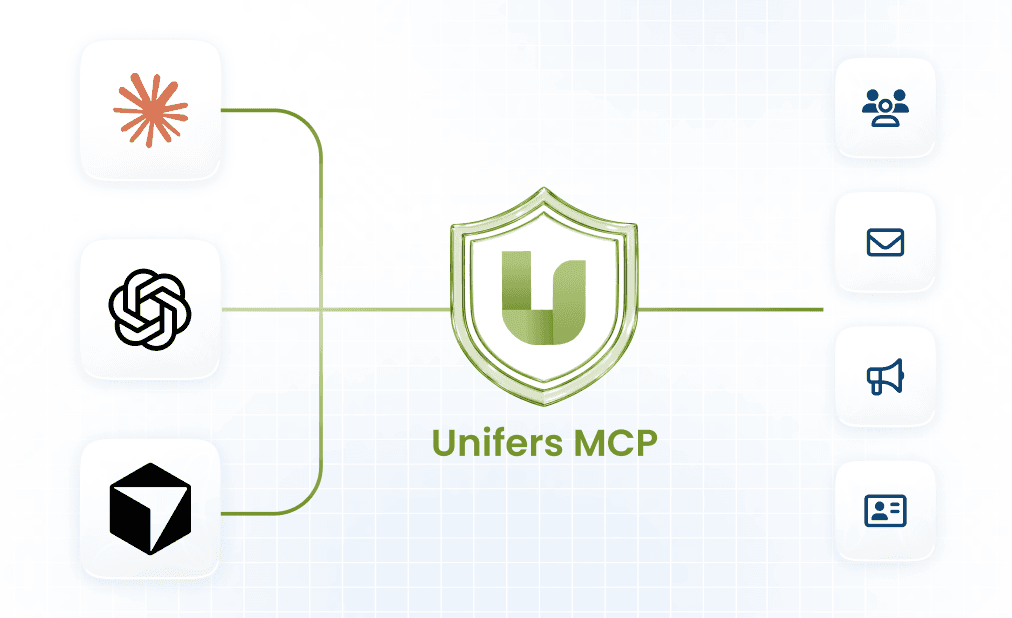
The Unifers MCP (Model Context Protocol) server gives AI assistants like Claude, ChatGPT, and Cursor a secure, standardized way to work with your Unifers data directly from a conversation. Instead of switching between Unifers and your AI tool, you can ask your assistant to enrich a list, launch a campaign, or check your inbox — and it talks to Unifers on your behalf.
What is the Unifers MCP server?
Built for modern prospecting teams who need high-quality data without the friction of credit limits.
MCP is an open standard that lets AI agents connect to external services through a single, consistent interface. The Unifers MCP server is hosted and managed by Unifers, exposes a curated set of the Unifers API as tools, and is protected by OAuth. It works with any MCP-compatible client and supports the Streamable HTTP transport.
When you connect, you'll log in to your Unifers account and choose the workspace you want to use. The MCP server only ever acts within that selected workspace — to work in a different workspace, you'll need to reconnect.
What can you do with it?
The MCP server lets your AI assistant interact with the core of your selected Unifers workspace. Right now, it can:
Find profiles
search and surface LinkedIn profiles that match who you're looking for.
Get contact details from a LinkedIn URL
turn a LinkedIn profile link into a verified email and phone number.
Create and send campaigns
build an outreach campaign and launch it straight from a prompt.
This is a curated, growing set of capabilities — not the entire Unifers API. More tools (like campaign analytics, inbox, and deliverability monitoring) are on the roadmap, and your assistant will discover the current list automatically once connected.
Connecting to the server
Connect your preferred AI assistant to Unifers using MCP. Authentication is handled securely through OAuth.

Claude
Add Unifers as a custom connector from Claude settings.
- Settings
- Connectors
- Add custom connector

Chatgpt
Add the MCP server as a custom connector from ChatGPT.
- Settings
- Apps
- Connectors
https://mcp.unifers.ai
- Authentication: Uses OAuth for secure access.
- First connection: You'll be redirected to Unifers to sign in and authorize access.
- No API keys: There's no need to copy or paste API keys.
- After authorization: Your assistant will securely reuse the existing connection for future access.
Talk to Unifers naturally.
Once connected, ask your assistant for what you need — it talks to Unifers on your behalf.
“Find me VP of Sales profiles at Series B SaaS companies in the US.”
“Get the email and phone number for this LinkedIn profile: [URL].”
“Create a campaign targeting these contacts and send it.”

You Approve Every Send
Write actions — like sending a campaign — always wait for your explicit approval before they run.